

Report scope, device selection, and current status stay visible in the same review view.
Product feature
Temperature monitoring reports and audit logs that stay usable in review.
KRYOS keeps report scope, device status, temperature logs, event history, acknowledgements, and exports tied together, so teams can review one connected record instead of piecing evidence back together later.
The audit log keeps acknowledgements, notes, and follow-up on the same event history.
PDF and CSV exports come from the same reviewed record.
Connected review record
Time range, device selection, and current status stay visible on the same record.
Incident detail, notes, acknowledgements, and follow-up remain tied to the same event history.
PDF reports and CSV exports draw from the same structured reporting history.
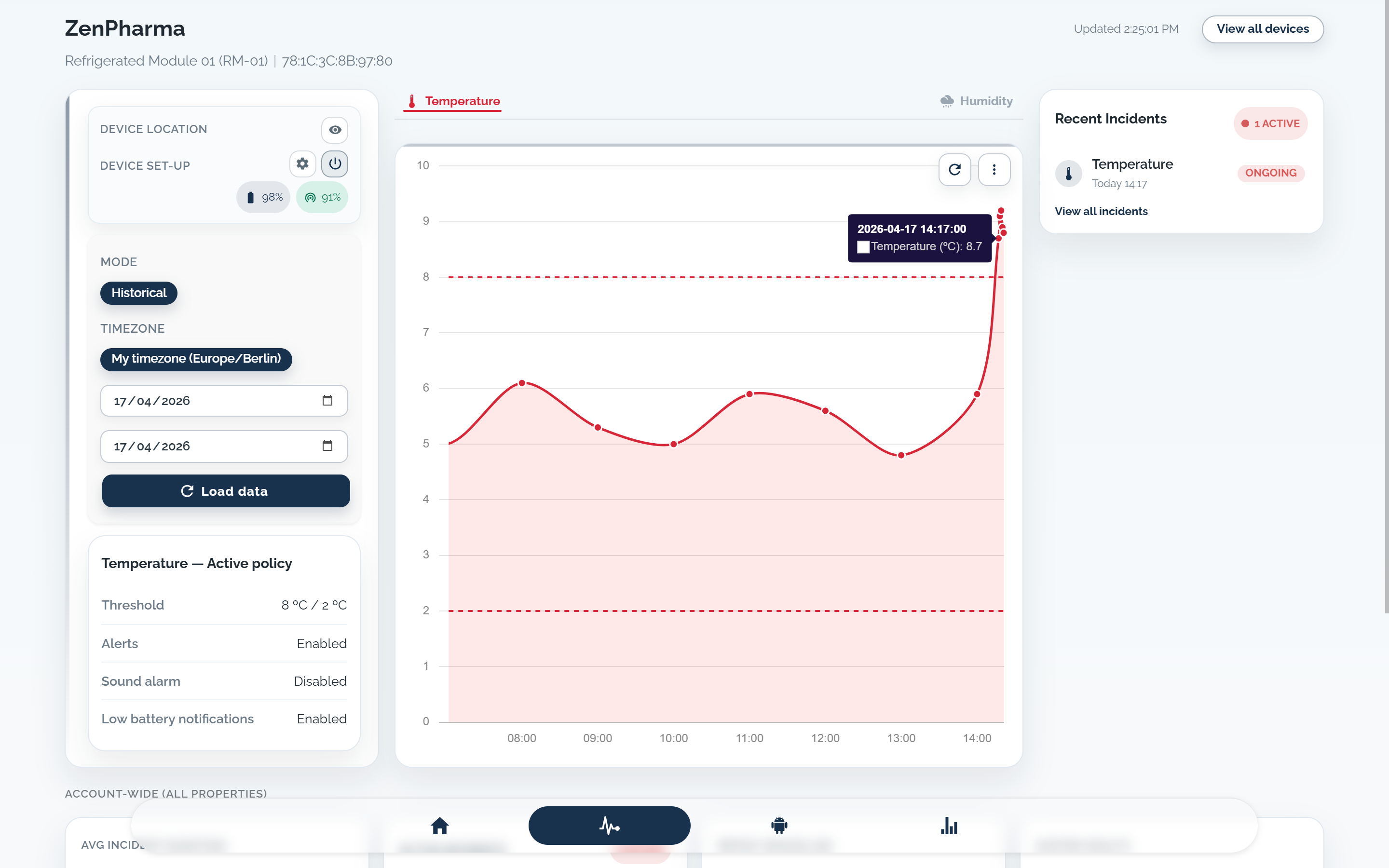
What temperature monitoring reports need to keep
A useful reporting record turns temperature logs into exportable reports without losing scope, asset context, event history, or review detail after the incident closes.
Period scope and device selection
Date range, selected devices, and current status stay explicit, so the report scope remains clear before export.
Event history linked to the asset
The record stays tied to the monitored fridge, freezer, room, or transport unit instead of becoming a detached spreadsheet line.
A timeline that keeps response actions
Alert delivery, acknowledgements, notes, and follow-up remain on the same event history, so review does not depend on inbox searches or screenshots.
Exports that preserve context
PDF and CSV exports come from that same reporting record, with timestamps, status, and device context intact.
Review detail that survives closure
Threshold breach detail, current values, device status, and the response timeline remain readable after closure.
Report summary, audit log, and evidence stay on one record
Reporting only works when the summary view, audit log, and audit trail still point to the same event history instead of separate files and screenshots.
Report summary and device status
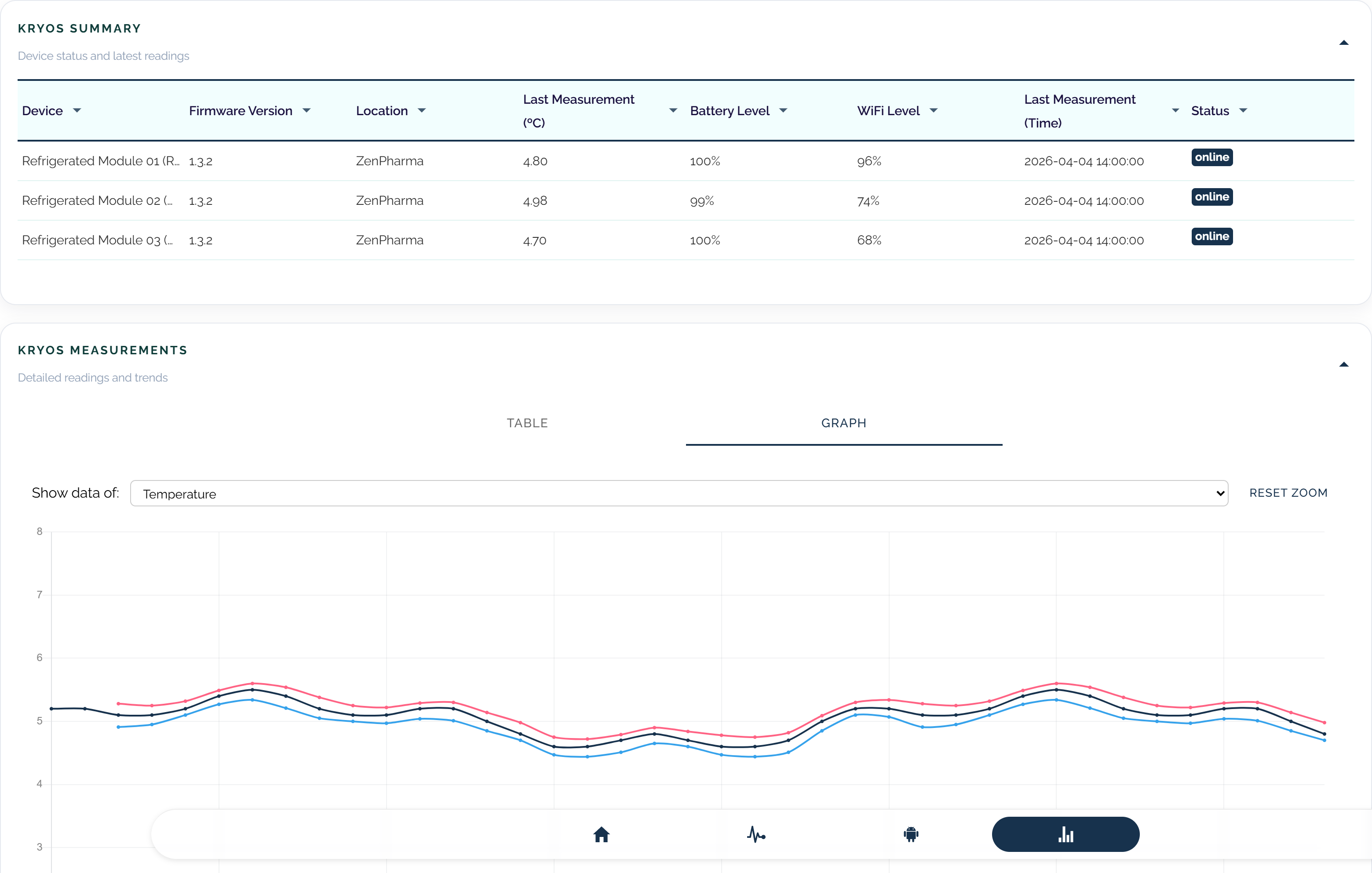
Linked incident history

- The reporting view shows report scope, selected devices, current status, and summary context before anything is exported.
- Audit-log detail stays tied to the same device, timestamped event, and response history instead of being rebuilt later.
- Exports come from the same structured record that operations, supervisors, and QA already review in KRYOS.
Report scopeLinked event historyExport-ready records
Review metrics stay connected to the reporting record
Reporting should support operational review, compliance checks, and incident analysis from the same structured record.
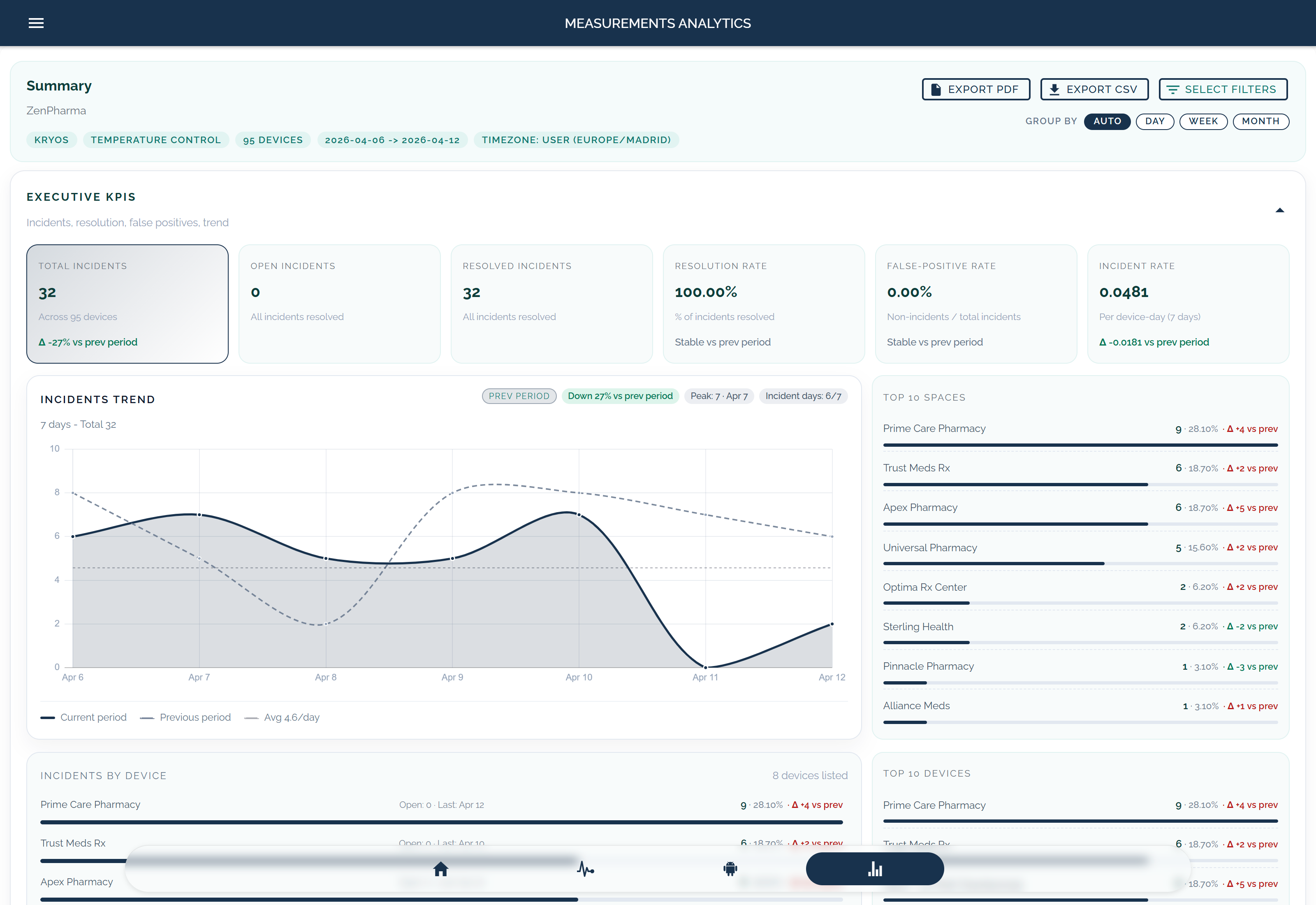
Executive summary for the selected period
The executive view should show incident count, open versus resolved events, trend direction, and the spaces or devices that need attention first.
- Summary KPIs should stay tied to the selected period and device scope.
- Trend context shows whether incident volume is stable, rising, or concentrated in specific spaces.
- Top devices or spaces show where repeated incident clusters are forming.
Executive KPIsIncident trendTop spaces or devices
Executive KPI summary view
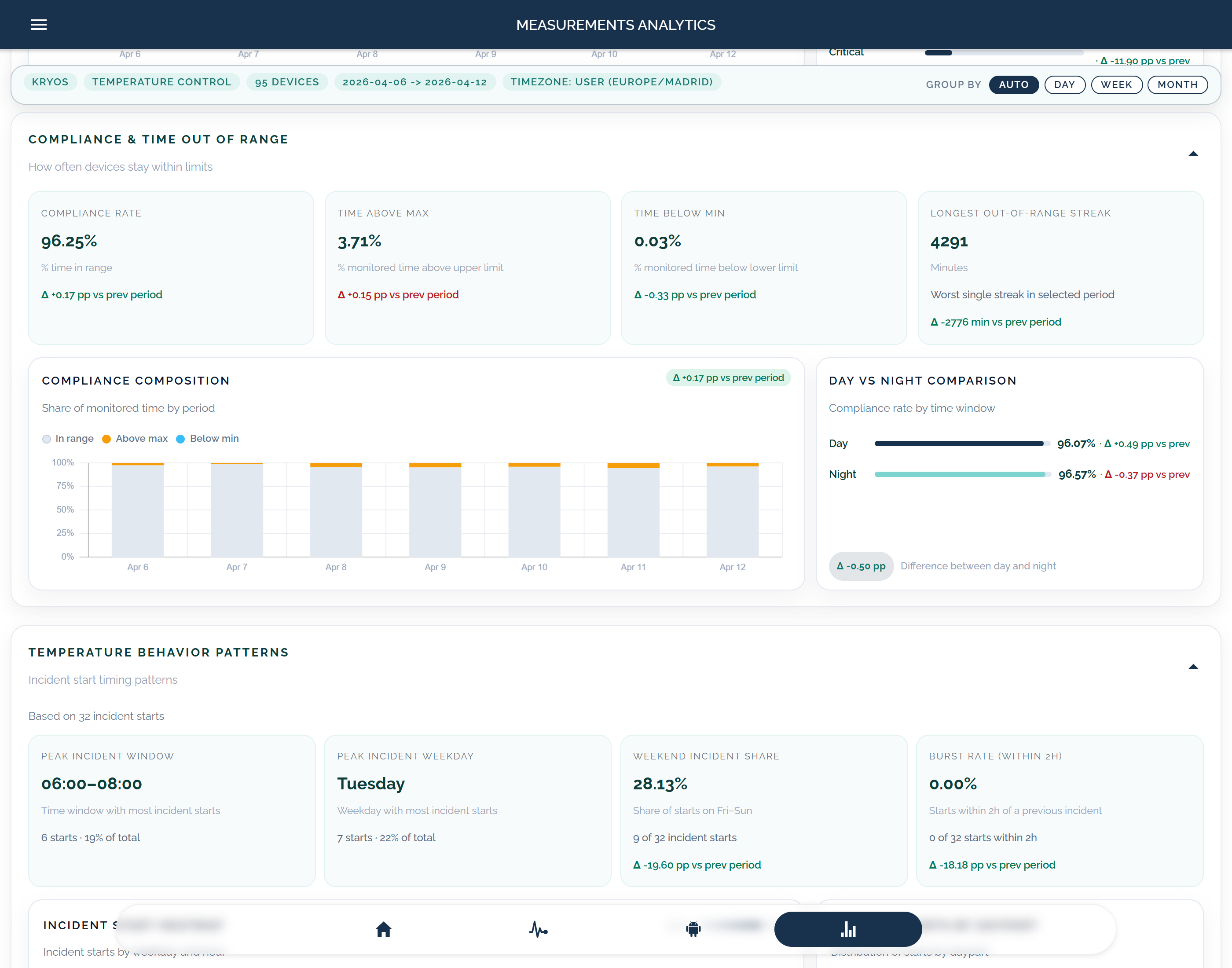
Compliance and time-out-of-range review
For regulated environments, reports need a direct view of time in range, time above or below limit, and the longest out-of-range streak in the selected period.
- Compliance rate and time out of range turn raw readings into a review-ready record.
- Period comparisons show whether conditions are improving or degrading between review windows.
- These metrics make audit-ready temperature records easier to explain during compliance follow-up.
Compliance rateTime out of rangePeriod comparison
Compliance and time-out-of-range view
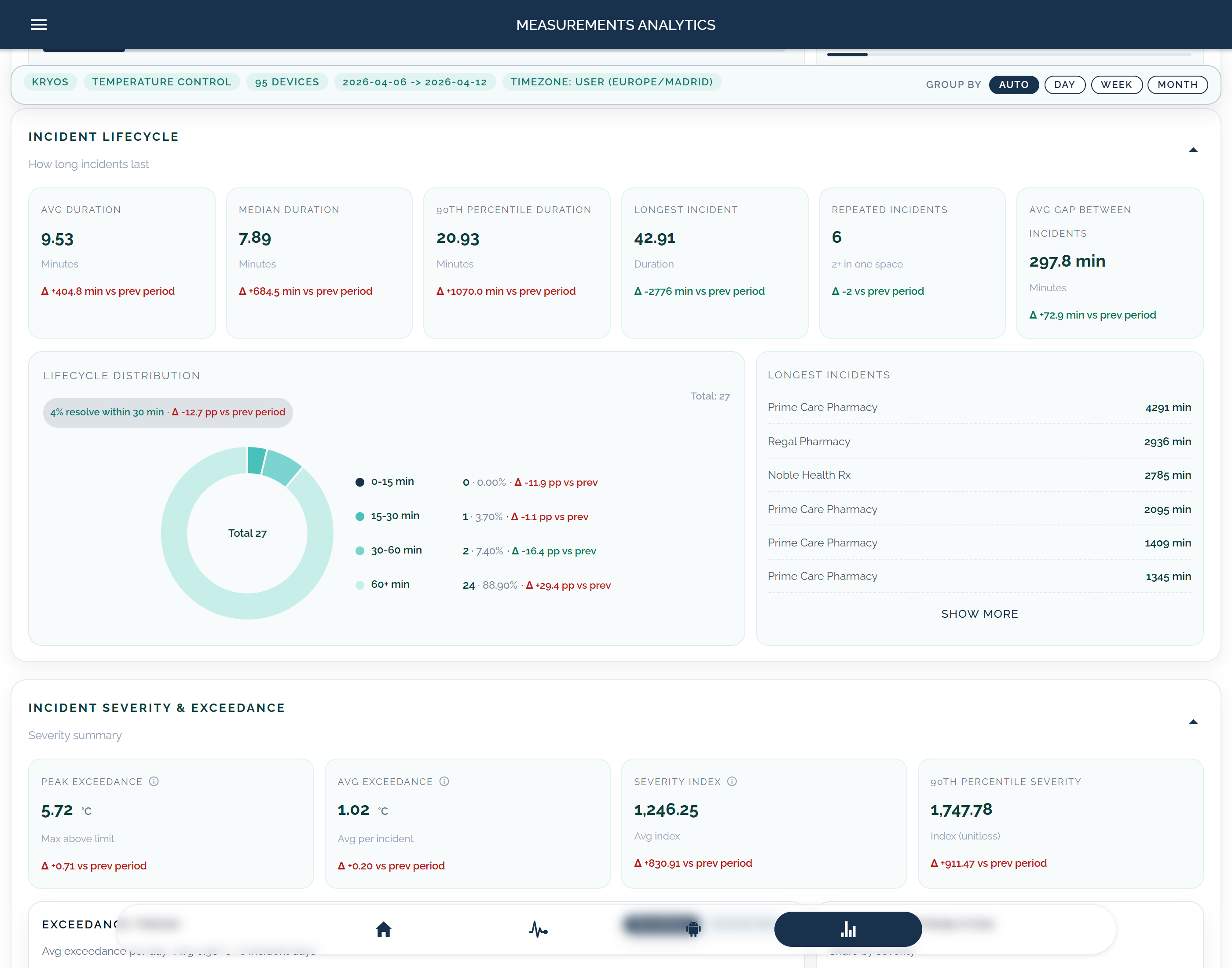
Incident lifecycle and response duration
Incident reporting becomes more useful when teams can review duration, repeated incidents, and where follow-up is stalling.
- Lifecycle duration separates short incidents from prolonged exceptions that need deeper investigation.
- Repeated incidents reveal environments or assets that keep reappearing in the review cycle.
- Longest incidents and duration distribution show where escalation or threshold logic may need revision.
Duration metricsRepeated incidentsLongest incident review
Incident lifecycle review view
From daily review to audit follow-up
The same record should support routine checks, investigations, and audit preparation without being rebuilt at each handoff.
01. Review the record the team already used
Continuity comes first: device context, threshold breach, timestamps, acknowledgements, and notes stay on the same event record.
02. Export without flattening the history
Reports and audit logs should come from that same structured history, so operations, supervisors, and QA export the same source they reviewed in the platform.
Fewer rebuilds before review
When the timeline stays connected, teams do not rebuild review packages from spreadsheets, inboxes, or separate notes.
One record for operations and QA
The same record supports recurring checks, investigation follow-up, and export-ready documentation for audit preparation.
Align reports and audit logs to how your team reviews evidence
Request a demo if you need help defining report scope, linked event history, or export-ready record structure. If your reporting setup is already defined, you can go straight to order.
- Structured event history
- Report scope by device and period
- Audit-ready temperature records